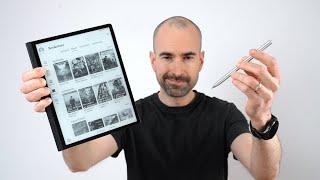
Huawei MatePad Paper | Kindle Killer?
Channel: Tech Spurt
Category: Science & Technology
Tags: matepad papermatepad paper unboxinghuawei matepad paper tablethuawei matepad paper pricebest tablethuawei matepad paper reviewbest kindlee ink tablet 2022huawei tablettablet 2022best kindle 2022huaweibest android tablet 2022huawei matepad paper e ink tabletmatepad paper reviewhuawei matepad paperbest tablet 2022huawei matepad paper unboxingbest e ink tablet 2022matepad paper huaweibest android tablet
Description: Unboxing the Huawei MatePad Paper with a full hands-on review of this e-ink tablet, including the bookstore, apps, performance and other features. This Harmony OS eReader is more feature packed than Amazon's Kindles, but a lack of file support and app availability at launch means the MatePad Paper is less desirable than the Onyx Boox tablets. If you're after an e-Reader style device with a huge, crisp screen, this Huawei option could work well. Graphic novels and comics certainly look good on the 256 Grayscale display. Unfortunately in my hands-on review time, I couldn't get CBZ files to work, only PDF. I like some of the Huawei MatePad Paper's bonus features however, such as the split screen note taking and annotations. That M Pencil Stylus works well with the tablet, especially the low latency and textured feedback. Battery life is good enough to last you all day with around ten hours of use per charge. Performance is similar to other eInk devices like those Kindles, and I'm hoping that Huawei will expand the features and support on the MatePad Paper soon. Huawei MatePad Paper Chapters: 0:00 - Chatty start bit 0:41 - What's in the box? 1:15 - Design 3:06 - UI & features 4:23 - Bookstore 5:45 - Display & audio 7:56 - M Pencil stylus 9:35 - Apps 10:52 - Battery life & byeeeee!